Privacy architecture
Where your audio goes: nowhere.
This page is the technical argument, not the marketing version. If you are evaluating VoxNotch because you are legally or ethically responsible for the recordings you handle, this is the page that matters.
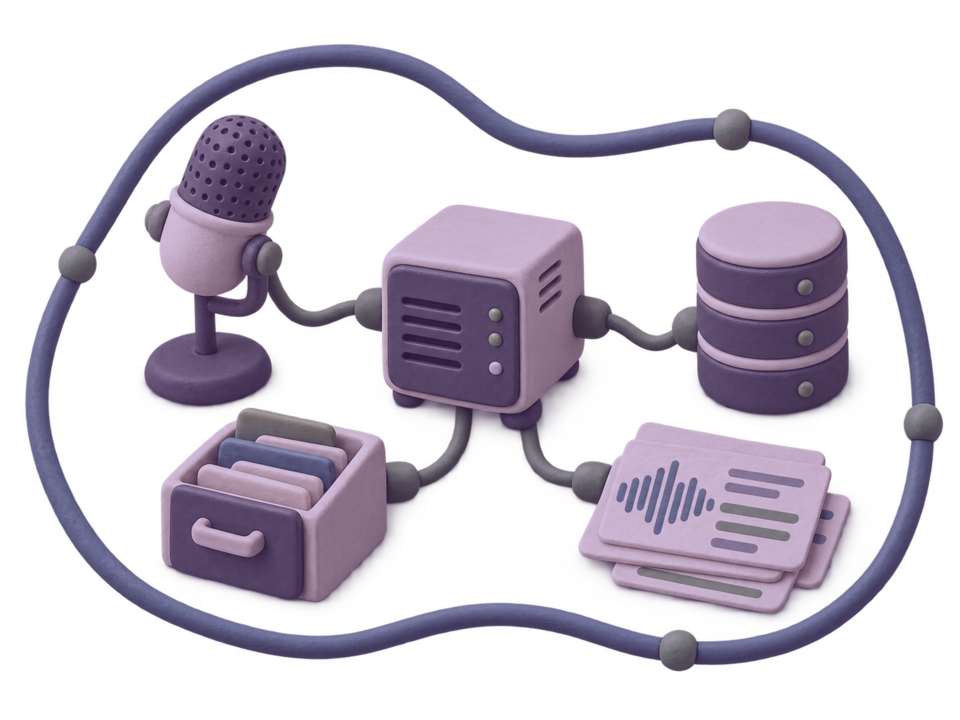
Claymation architecture illustration: microphone, local server, database, and transcript cards inside one boundary.
What leaves the box
Defaults, opt-ins, switches, and floors.
This is the fastest way to audit the privacy claim. A fresh install keeps media local; the rows below name the paths that can leave, the setting that enables them, and what still works when they stay off.
| Path | Default behavior | Optional egress | Switch and no-cloud floor |
|---|---|---|---|
| Speech recognition | faster-whisper runs in the worker against files in your storage volume. | An external speech runner only if you configure one. | Runner URL comes from the environment. Without it, the worker path remains the floor. |
| Summaries and reports | LLM use is off on a fresh install. | A local or cloud language model provider you configure. | LLM_ENGINE controls it. The floor is an extractive TF-IDF pass over your transcript. |
| Storage | Local Docker volume. | Object storage you point at, including local MinIO, AWS S3, Cloudflare R2, or another S3-compatible target. | STORAGE_BACKEND=local is the floor. MinIO, S3, and R2 are explicit operator decisions. |
| Workflow notifications | Nothing is called when jobs finish. | Outbound webhooks to URLs you register. | No webhook means results stay in the library until fetched. |
| Output destinations | Exports remain in the instance. | Local destinations chosen by the operator or optional S3 delivery. | Local paths must sit under approved destinations. S3 requires the optional extra and credentials you configure. |
| Sign-in | Production sign-in uses first-party local auth by default. | Optional Supabase compatibility only if the operator enables it. | Recordings, transcripts, notes, and voice models are not in the external sign-in path. |
| Error reporting | No crash reports are sent. | A Sentry DSN you configure. | Empty DSN is a no-op. |
| Monitoring | Monitoring profile is off. | Prometheus/Grafana/Loki stack on your host when enabled. | Ports bind to 127.0.0.1 and require deliberate operator access. |
Last checked 2026-09-01 against shipped configuration and service code. This table is about product defaults; operators can still expose their own host, backups, webhooks, or object storage.
The default path
Every box is on your hardware.
This is what happens to a recording on a stock install, with nothing switched on and nothing configured. Follow it box by box and count the network boundaries: there are none.
Capture
The browser records into your own instance, or a file arrives by upload, watch folder, or the HTTP API. The bytes go straight to your storage volume.
Decode
The worker decodes the media with ffmpeg inside its own container. Nothing is uploaded in order to be inspected.
Transcribe
faster-whisper runs in that same worker, on the CPU by default. There is no account, no API key, and no request to a speech service, because there is no speech service.
Store
The transcript, the speakers, the notes, and the job record land in your Postgres. The media stays in your storage volume.
Read
The Reader, search, and export all run against those local rows. An install that has been unplugged from the internet since the day it was built still does all of this.
One-recording audit
How to prove the default path with one harmless file.
The privacy claim becomes concrete when an evaluator can follow one recording through the system and name every boundary it crosses.
Start local
Launch the local demo or production stack with default storage and no optional provider credentials. Print the resolved frontend, API, and marketing URLs before the walkthrough so the host under test is explicit.
Capture or upload
Use a short non-sensitive fixture recording. The evidence to keep is the recording ID, the storage mode, and the fact that no S3, webhook, LLM, speech-runner, or error-reporting endpoint is configured.
Transcribe
Wait for the worker to finish the job and open the transcript. The useful proof is not a pretty screenshot; it is the recording ID plus a worker/job status that shows local transcription completed.
Export
Download one local export such as Markdown, JSON, SRT, or VTT. This confirms the default floor still creates useful output without remote storage or cloud model calls.
Record the proof
Save metadata-only launch evidence with the proof command in the runbook. Do not paste client audio, transcripts, or screenshots containing private content into public marketing proof.
Opt-in details
What each optional path costs you to leave off.
The table above is the audit view. This one is the practical trade-off view: what you gain by enabling each path, and what the local floor does instead.
| Optional path | What turning it on gives you | What the floor does instead |
|---|---|---|
| Language model (LLM_ENGINE)The extractive floor is genuinely worse than a good language model at summarizing a two-hour interview. That is the cost of leaving it off, and it is the reason the switch exists rather than a reason to pretend the switch is free. | Written summaries, transcript cleanup, and report drafting through a provider you configure — local or cloud. | A TF-IDF extractive pass over your own transcript. Summaries and action items still appear; they are quotes, not prose. |
| Stored cloud API keys | A provider key saved on the instance, encrypted at rest with a key you generate at install. | Without that encryption key the API refuses to store a cloud key at all. Local, keyless profiles keep working. |
| Object storage (S3, MinIO) | Media on an object store you point at, which can be another machine or another provider. | STORAGE_BACKEND=local — a Docker volume on the same disk as everything else. |
| External speech runner | An alternative recognition engine in its own isolated runner, for streaming work. | faster-whisper in the worker. The runner does not exist until you set its URL in the environment. |
| External synthesis runner | The cloned-voice engines, in a runner you deploy on purpose. | No synthesis engine. The stock install carries a mock engine that emits a tone, so you can exercise the pipeline without believing you have synthesis. |
| Machine translation | Translated captions and dubs through a translation service you run. | A local dictionary pass, or passthrough. It is worse, and it is offline. |
| Webhooks and destinations | Your own systems get called when a job finishes, and finished media can be pushed where you tell it to go. | Nothing leaves. Results sit in the library until you fetch them. |
| Error reporting | Stack traces to a Sentry instance you own. | The DSN is empty, and the integration is a no-op. No crash report is generated or sent. |
| Metrics and logs | Prometheus, Alertmanager, Grafana, Loki, and Promtail, started with a compose profile. | Off. When you do turn it on, every one of those ports binds to 127.0.0.1 and needs a token, so it is reachable over an SSH tunnel and not from the internet. |
Last checked 2026-09-01. Defaults are read from the shipped configuration and service code as compose starts them, not from aspirational documentation.
Structural limits
What the application is prevented from doing.
These are not settings and not policies. They are absences: code paths that were deliberately not written, so there is nothing to misconfigure.
It cannot name a model repository
The set of models it can refer to is a typed allowlist compiled into the source. A value that is not in that list does not become a download; it resolves to the default model.
backend/app/services/model_registry.py — no register-from-request facility exists.
It cannot install, download, or delete a model
The whole administrative surface for models is probe, load, and unload. There is no install action to reach, with or without an admin session.
backend/app/services/model_control.py.
It cannot take a runner URL from a request
Runner addresses come from the environment only. The synthesis runner is validated fail-closed to a loopback host with an explicit port and no credentials; the speech runner permits plain HTTP only when the host is loopback.
Validated in chatterbox_engine.py and nemotron_runner.py.
It does not phone home
There is no analytics SDK in the frontend, no update check at startup, and no vendor endpoint anywhere in the boot path. The only outbound calls the stack makes are to endpoints you configured yourself.
The limit on that claim
Installed engines still fetch their own weights.
"The app cannot fetch a model" means it cannot be pointed at a repository. It does not mean nothing is ever downloaded.
An engine you chose to install pulls its weights from its fixed, source-controlled model ID the first time it runs, and that is a network request. If your threat model excludes it, download the weights once on a machine you are happy to, mount them, and run the stack with no route out.
Data lifetime
Nothing expires unless you delete it.
Export is per-object: Markdown, JSON, CSV, SRT, VTT, and reports, per recording. Full-account archive moves should be planned through the API and backup workflow.
Audio retention is set to zero days on a fresh install, and zero means no sweep runs at all. There is no archival tier, no cold storage, and no thirty-day free-plan window, because there are no plans.
The one retention sweep that exists is opt-in and is limited to rendered derivatives — the outputs that can be produced again from their sources. It deliberately skips live-recording audio, on the grounds that the instance may hold the only copy.
Share links are the exception in the other direction: a share token expires after thirty days by default, because a link that outlives its purpose is its own kind of leak.
Deletion is per-user and real. Erasing an account deletes its rows table by table under that user’s own database identity, sweeps its storage, and leaves a tombstone so a token that is still cryptographically valid cannot re-create the account behind you.
Isolation
Owner scoping is enforced by the database, not only by the API.
Every tenant table — recordings, transcript lines and edits, notes, jobs, media references, artifacts, workflows and runs, voices, synthesis outputs, cue tracks, share links, API keys, and the rest — has row-level security enabled and a policy keyed on a transaction-local app.current_user_id.
A later migration asserts FORCE row-level security across that whole set, which means the table-owning role does not bypass its own policies either. A query that forgets to filter by owner returns nothing rather than returning someone else’s rows.
The limit worth stating: this is a property of the Postgres store backend. The production compose file pins it, so any stack you launch with the shipped launcher has it. An install rewired to another backend does not inherit it.
What we cannot promise
You are the operator, and that cuts both ways.
The architecture above removes the vendor from the picture. It puts you there instead, and there is a list of things that are now yours.
Your backups. Backup and verify scripts ship, and a systemd timer ships with them, but nothing schedules a backup until you arm it. An unbacked-up self-hosted instance is a worse custodian of a client session than a cloud service with redundancy.
Your network exposure. The production stack publishes ports 80 and 443 through Caddy and nothing else. What sits in front of that, who can reach it, and whether it is on the public internet at all are your decisions.
Your disk. Nothing here encrypts your volume. If the machine is stolen, the recordings are on it in the clear.
Your identity store. The production stack defaults to local email/password auth with invite and admin bootstrap scripts. Supabase-compatible auth is optional if you intentionally enable that provider; recordings, transcripts, and voice models still live in the storage mode you configure.
Your compliance conclusion. We can show you the architecture. We cannot tell you it satisfies your regulator, your bar association, or your ethics board, and anyone selling you a self-hosted tool who does tell you that is guessing.
The questions this page usually raises next.
What happens if the machine has no internet connection at all?
Capture, transcription, the library, the Reader, search, notes, and export all keep working. They do not make network calls in the first place.
Optional paths you switched on stop working, and each one falls back to its floor rather than to an error page.
Is there an audit trail?
There is a job record for every unit of work and a migration ledger recording every schema change that has been applied, with checksums. That is a technical record of what the system did.
It is not a compliance-grade access log of who read which recording when. If you need that, ask before you deploy, not after.
Can I verify any of this myself?
Yes, and it is the point. Read the compose files to see which ports are published, read the configuration module to see which defaults are off, then run one short fixture recording through capture, transcription, and export.
Every claim on this page names the source family it came from so you can disagree with it specifically. Public proof should be metadata-only unless the fixture recording is deliberately non-sensitive.
Checked
- Defaults, opt-in switches, and fallback behaviour were last checked against backend/app/config.py, backend/app/services/llm/, backend/app/services/storage_retention.py, docker-compose.yml, and docker-compose.prod.yml on 2026-09-01.
- The row-level-security claim is based on the ENABLE ROW LEVEL SECURITY policies across supabase/migrations/ and the FORCE assertion in 048_force_rls.sql, plus the transaction-local user setting in backend/app/db/postgres_context.py.
- Account erasure is DELETE /account in backend/app/api/account.py.
- This is source-derived evidence, not a claim that your host is correctly configured. Before accepting real users, run the production closeout command for host-specific DNS/TLS, recording, upload, restore, and soak evidence.
Read the code, then run it.
The architecture is only worth anything if you can check it. Install it on a machine you control and detach the network.