Self-hosting
Can you run this? Probably. Here is the honest answer.
If you already run a compose stack or two, this is a familiar shape: four services, a proxy, a volume, and an environment file. If you do not, this page is the reading you should do before you decide.
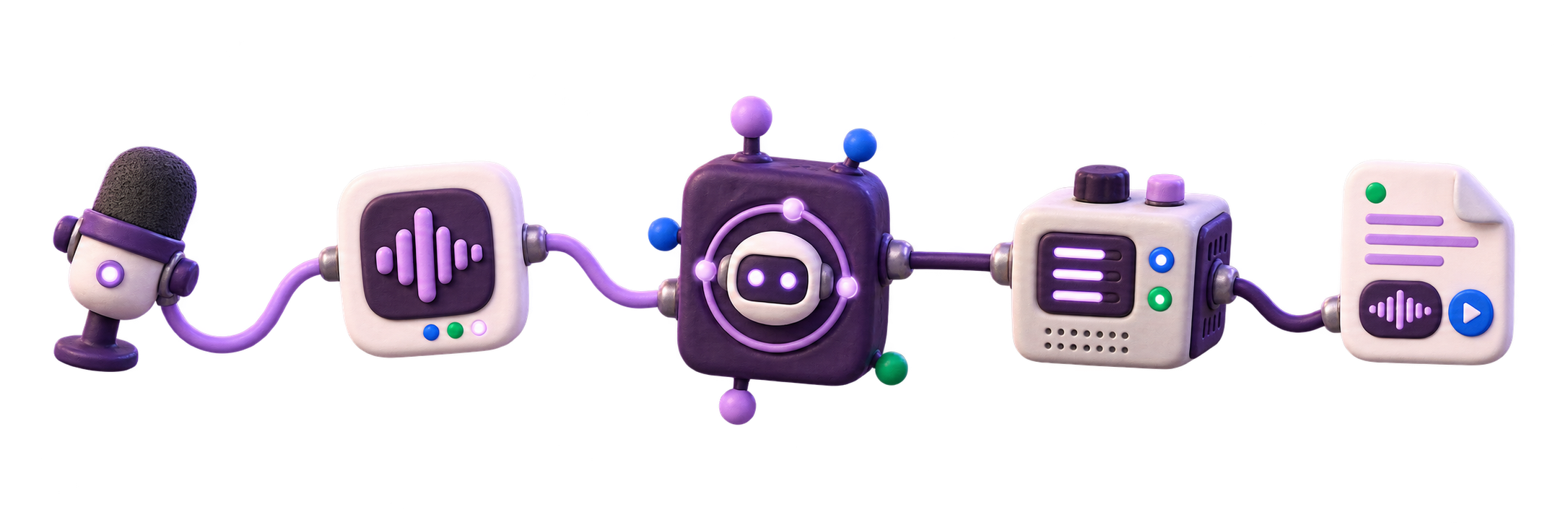
Self-hosted VoxNotch stack with API, worker, database, queue, and storage.
You will need
Five things, and one of them is time.
A machine that stays on
A NAS, a home server, a small VPS, or a spare desktop. Jobs run on a queue, so the box needs to be there when the job is.
Docker and Docker Compose
The v2 plugin specifically. The launcher refuses the end-of-life v1 binary rather than failing halfway through a build.
Disk proportional to your media
Audio is small. Rendered video is not, and model weights are downloaded into their own volume on first use.
A GPU only if you want it
Transcription runs on CPU and the shipped default is the base Whisper model. A GPU buys you the larger models at usable speed, and it is required for real speech synthesis, which lives behind an optional extra.
Plan capacity from your workload: recording length, model size, concurrent jobs, and rendered-video volume. The compose file sets ceilings of 3g for the API and 6g for the worker.
About an hour
Most of it is the image build and the first model download. The part that needs you is the hostname and certificate contact email.
You will not need
An account, an API key, an internet connection after install, or a subscription.
There is no vendor account for the product, no Supabase project URL to paste, no per-minute meter, no per-character meter, and no key to rotate for the local path. An instance that has been off the internet since the day it was built still records, transcribes, searches, and exports.
The install
git clone <repo> && cd web && ./scripts/launch/first-run.shScaffolds the environment file, generates the secrets, validates the compose configuration before building, then builds, starts, and waits for readiness. The download page walks through the prompts and the output line by line.
What the stack runs
Five containers, and why each one is there.
Nothing here is present for architectural fashion. If a service could be removed without losing a capability, it would have been.
db — Postgres 16
Every recording, transcript line, note, job, and voice record. Row-level security is enabled in FORCE mode on every tenant table, so owner scoping is a database property rather than a promise the API makes.
redis — Redis 7
The job queue, plus the rate limiter. Transcription and rendering take minutes, so they cannot happen on a request; they happen on a queue that survives a restart.
api — FastAPI
The HTTP API and the perimeter: allowed hosts, CORS, auth, and the admin plane. In production it publishes no host port at all — Caddy reaches it over the internal network.
worker — the same image, a different entrypoint
Decode, transcribe, master, render. This is the container that wants memory and, if you have one, the GPU.
caddy — the edge
Ports 80, 443, and 443/udp are the only published ports in the production stack. Caddy terminates TLS, requests the certificate, serves the built frontend, and proxies the API.
Backup and restore
A backup you have not restored is a file, not a backup.
A wider rehearsal exists too: scripts/release-canary.sh stands up a disposable stack, runs the migrations twice, takes a backup, restores it into scratch, and proves the queue survives a worker restart.
scripts/backup.sh writes a timestamped directory holding a compressed Postgres dump, an archive of the storage volume, and a manifest. scripts/restore.sh puts it back, destructively, after making you type the word out.
The one worth knowing about is scripts/launch/ops.sh backup-drill. It wraps backup verification with the production backup environment, restores the dump into a throwaway scratch database, checks the storage archive, and records proof under backups/launch-proofs. It answers the only question a backup exists to answer.
Nothing schedules any of this. A systemd service and timer ship in deploy/systemd/, and arming them is a deliberate step you take on day one rather than a default you discover you never had.
Recovery rehearsal
What the restore drill proves before a real incident.
Before sensitive recordings depend on the instance, run the restore rehearsal against the backup location you will actually use.
Find the backup
The drill points at the directory you actually use, not a sample path in a document. For local volume storage, it expects a database dump and a storage archive with a manifest.
Restore in scratch
The database dump is restored into a disposable scratch database. Production data is not overwritten during verification.
Check storage
The storage archive is opened and compared to its manifest so the drill catches missing media as well as broken SQL.
Record the result
The drills write status, timestamps, and output for the launch ledger, so an operator can see when restore behavior was last rehearsed.
Restore drill
export COMPOSE_FILE=web/docker-compose.prod.yml PROJECT=web \
       PG_USER=vtadmin PG_DB=voice_transcriber STORAGE_VOLUME=web_storage

cd web
./scripts/launch/ops.sh backup-smoke /var/backups/vt
./scripts/launch/ops.sh backup-drill /var/backups/vt
The drill restores the database dump into scratch, checks storage, records metadata-only evidence, and leaves production untouched.
==> Verifying backup: /var/backups/vt/<stamp>
  • Restoring db.dump into scratch DB 'vt_verify_<timestamp>'…
    tables restored: <count> (manifest: <count>)
    ✓ DB dump restores cleanly
  • Checking storage.tgz integrity…
    entries: <count> (manifest: <count>)
    ✓ storage archive is readable
==> VERIFIED: this backup is restorable.
==> Proof written: backups/launch-proofs/backup-drill/<stamp>
The VERIFIED line is the maintenance signal; the proof directory is the launch-evidence signal. A backup schedule without this verify step is only a file rotation.
Upgrades
The migration ledger is the answer to "will my data survive an upgrade".
Schema changes are numbered SQL files applied by a runner that records each one in a schema_migrations table with its filename, a checksum, when it was applied, and how long it took.
A migration that has been edited after it was applied fails the checksum and is refused rather than replayed. That turns the most dangerous class of upgrade bug — a file that means something different than it did when it ran — into a startup error.
status.sh prints the applied head, so "which schema is this instance actually on" is one command rather than an investigation.
Optional
Prometheus, Alertmanager, Grafana, Loki, and Promtail, behind a profile.
The monitoring profile costs roughly 600 MB of RSS, per the repository runbook.
They exist, they are wired, and they are off. Start them with the monitoring compose profile and you get a provisioned Grafana dashboard, alert rules, and log shipping from the Caddy access log.
Every one of those ports binds to 127.0.0.1, and the metrics endpoint returns a 404 unless a token is set. Reach them over an SSH tunnel. A homelab dashboard exposed to the internet is a strictly worse outcome than no dashboard.
Honest limits
What you are signing up for.
It is not easier than a SaaS subscription. It is a Docker stack with a database, a job queue, and workers. You will need a machine to run it on and an hour to set it up.
It is not a zero-ops hosted subscription. If you expose it to a team, validate sign-in, worker recovery, backups, restore, DNS/TLS, and a short multi-user soak before accepting real recordings.
A real public launch needs a real public host. The production closeout command checks HTTPS readiness, runs local-auth smoke against the live edge, records DNS/TLS evidence, and refreshes the go/no-go report.
Where to get help.
What documentation exists?
Runbooks in the repository cover deployment, backup and restore, monitoring, and incident response, and they are written for the person holding the pager rather than for the person evaluating the product.
The docs site is the front door to all of them.
Something is broken and I think it is a bug.
Start with status.sh and the incident-response runbook — most first-week failures are one of six known shapes and each has a named fix.
If it is a security issue, do not open it in public. The disclosure page explains where to send it.
Is it maintained?
The release notes page is the source of truth for shipped changes, including when a version is a commercial build rather than a public tagged release.
Run it before you trust it.
An hour on a spare machine tells you more than any page on this site can.